
Why your AI-built app needs this review
When you ask an AI to build fast, it optimizes for working, not for secure. The result is always the same: API keys in the frontend, Supabase tables without rules, endpoints that never check ownership, validation only in the form. All of it works in your demo and fails in production.
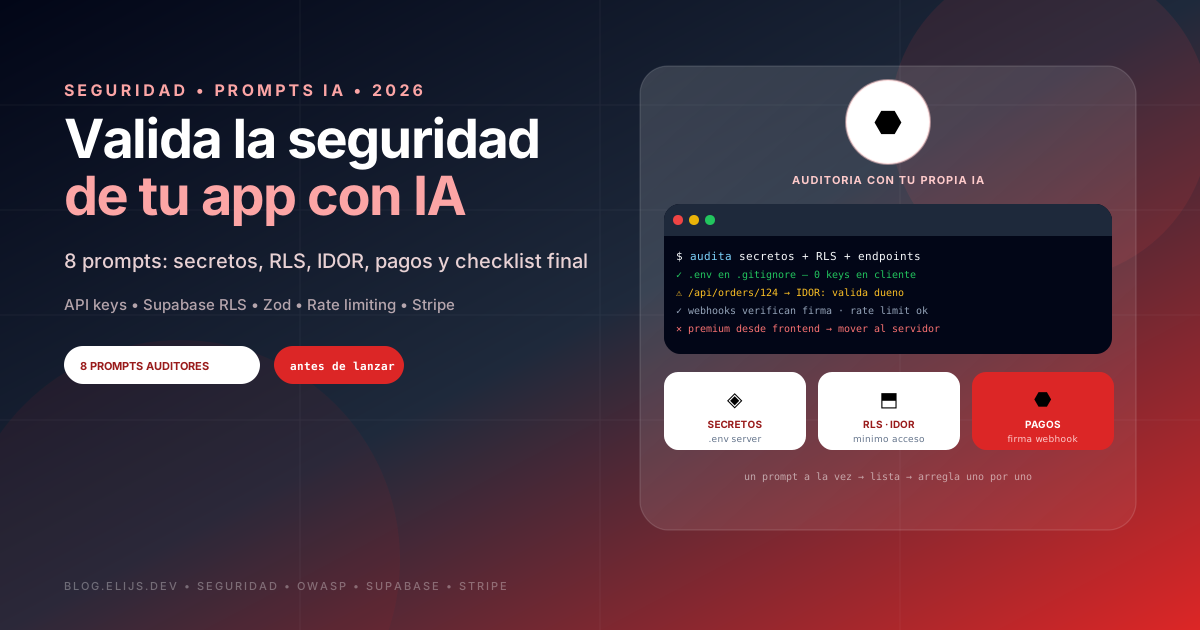
These 8 security prompts turn your AI (Claude, ChatGPT, Cursor) into an auditor. Use them inside your project so it can actually read your code.
How to use this guide
Run one prompt at a time. Do not ask it to fix everything at once: first get the issue list, review it yourself, then ask for fixes one by one. Start with prompt 1, the most common and most severe mistake.
- Always work inside your project, not in an empty chat.
- Demand file and line for every finding.
- Fix money and other users data first.
1. Exposed keys and secrets
The number one mistake: OpenAI, Stripe or database API keys sitting in the frontend. Anyone opens the browser, reads them and spends on your card. The rule is simple: anything in the client is public, even if you think it is hidden.
js
Review my whole project for exposed secrets: API keys, tokens,
passwords or database credentials.

For each finding tell me:
1. File and line
2. Whether that code runs on the client or the server
3. How bad it is if someone finds it
4. How to move it to a server-side environment variable

Also check whether .env is in .gitignore and whether variables
with NEXT_PUBLIC_, VITE_ or EXPO_PUBLIC_ prefixes should not be
public. No changes yet, report only.
2. Database rules
If you use Supabase or Firebase, your database is exposed to the internet. Without rules, any user can read or delete everyones data with the public anon key and a direct request, skipping your app entirely.
js
Analyze my database security (Supabase RLS or Firebase Rules).

1. List every table or collection and whether rules are enabled
2. For each one, explain simply who can read, create, edit, delete
3. Flag anywhere a user can see or change another users data
4. Propose fixed rules with least-privilege access

Assume an attacker owns the public anon key and can send direct
requests without touching my app.
3. Can a user see another users data
It is called IDOR and it is very common: change /api/orders/123 to /api/orders/124 and you see someone elses order. It happens when the endpoint checks you are logged in but never checks the resource is yours.
js
Review every endpoint, API route or server action in my project.

For each one verify:
- Does it require a logged-in user?
- Does it check the requested resource BELONGS to the requester?
- Does it trust a client-sent userId instead of the session?

Give me a table: route, method, requires login (yes/no),
checks owner (yes/no), risk. Then explain how an attacker would
exploit the worst case.
4. Validating user input
Never trust what arrives from the form. Frontend validation is for experience. Server validation is what protects you. Without it you get SQL injection, XSS and files that should never enter.
js
Find everywhere my app receives user data: forms, query params,
API bodies, file uploads.

For each one tell me:
1. Whether it validates on the server, not just the frontend
2. SQL, XSS or command-injection risk
3. Whether uploads validate type and size

Propose validation with Zod (or the project library) for the
highest-risk cases.
js
// Example: what the AI should propose on the server
import { z } from 'zod';

const CreateOrderSchema = z.object({
  productId: z.string().uuid(),
  quantity: z.number().int().min(1).max(10),
  // userId NEVER comes from the client: it comes from the session
});

export async function createOrder(input, userId) {
  const data = CreateOrderSchema.parse(input);
  return { ...data, userId }; // owner always server-side
}
5. Abuse protection and cost control
If your app calls an AI API, a bot can fire thousands of requests and leave you a hundreds-of-dollars bill overnight. Login, signup and password reset need the same treatment.
js
Find my expensive or sensitive endpoints: AI API calls, email or
SMS sending, login, signup, password recovery.

For each one tell me whether it has rate limiting and how it could
be abused. Then propose rate limiting for my stack plus per-user
usage limits. Give me code ready to paste.
6. Payments and webhooks
Premium access is never granted because the frontend says so. If the client decides who is premium, anyone opens the console and becomes premium for free. Truth lives on the server and in the providers signed webhook.
js
Review my payments flow (Stripe, RevenueCat or similar).

1. Where is premium decided? Can it be faked?
2. Do webhooks verify the provider signature?
3. What happens if the same webhook arrives twice?
4. What happens on refund or subscription cancel?

Explain each risk with a concrete free-premium example.
7. Authentication and sessions
js
Audit my app authentication:

- Are passwords handled by a secure provider or bcrypt/argon2,
  never plaintext?
- Do tokens and sessions expire? Where are they stored client-side?
- Does "forgot password" reveal whether an email exists?
- Are protected routes enforced server-side or only hidden in UI?
- Does logout really invalidate the session?

Order findings from most to least severe, with file and line each.
8. Final pre-launch review
Use it as a checklist every time you ship a new version.
js
Act as a security expert auditing my app before launch. Review the
full project and give me:

1. A 1-to-10 security score and why
2. The 5 most severe issues, by real risk, not theory
3. Dependencies with known vulnerabilities (run npm audit)
4. Missing security headers: CSP, HSTS, X-Frame-Options
5. Errors leaking internals: stack traces, queries
6. Action plan: fix today, this week, can wait

Explain it for a non-security person.